Organiser Dashboard: Real-Time Insights to Grow Your Events
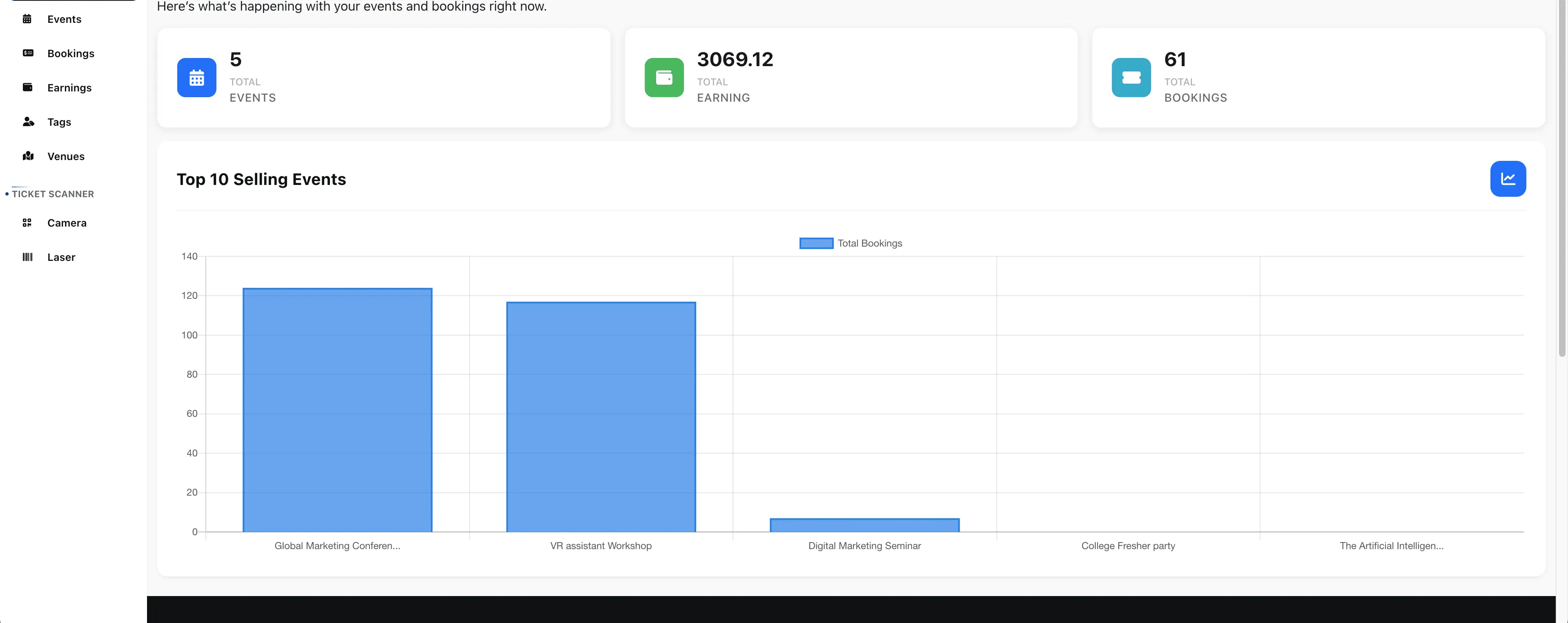
The Webworks Co Organiser Dashboard is your command center for event success. Instantly access real-time statistics, sales charts, and actionable insights to monitor performance, optimize marketing, and make data-driven decisions—whether you're running a single event or managing a portfolio.
Why Use the Organiser Dashboard?
The dashboard is ideal for:
- Real-Time Sales Monitoring: Instantly track ticket sales, revenue, and attendee registrations.
- Performance Analytics: Identify top-performing events, tickets, and sales channels.
- Marketing Optimization: Use data to refine campaigns and boost conversions.
- Attendee Insights: Segment and analyze attendee demographics and behavior.
- Team Collaboration: Share insights with co-organizers or stakeholders.
- Export & Reporting: Download reports for accounting, compliance, or CRM integration.
- Goal Tracking: Set and monitor sales or attendance targets.
- Mobile Access: Monitor event performance on the go.
{primary} Pro Tip: Use the dashboard daily to spot trends, respond to sales spikes, and optimize your event strategy in real time.
Key Features & Overview
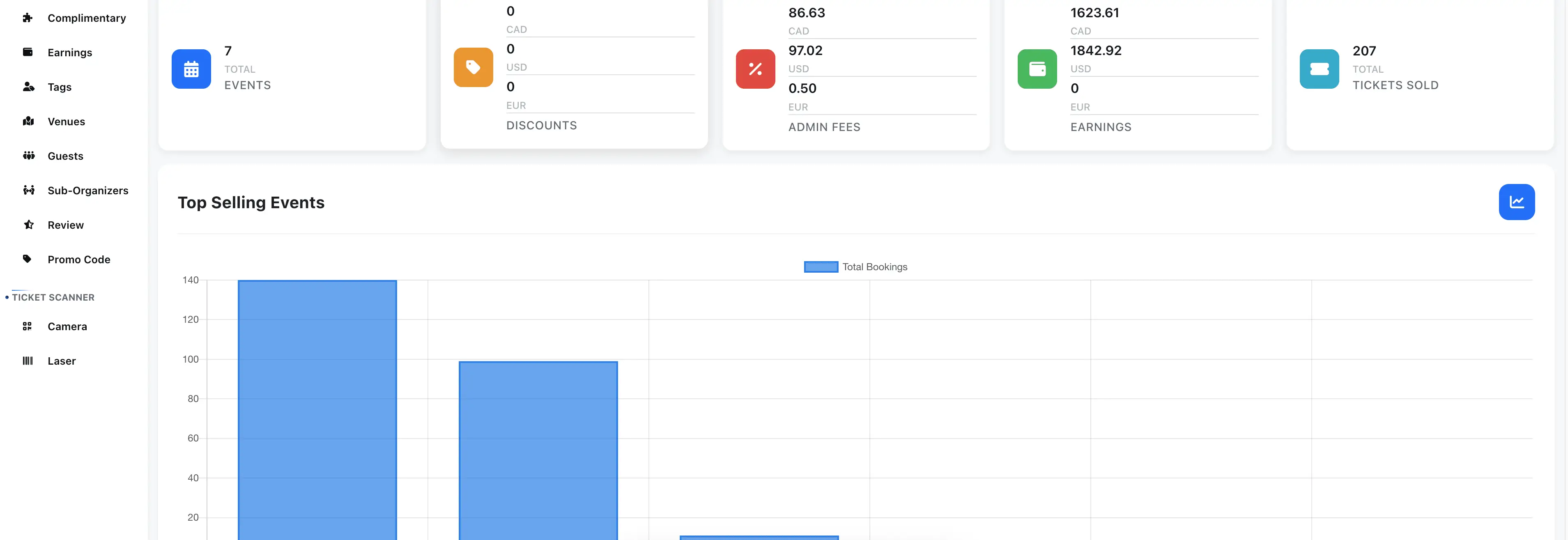
- Comprehensive Overview: See all your event activities at a glance—sales, tickets, attendees, and more.
- Sales Charts & Statistics: Visualize trends with interactive charts and graphs.
- Event Comparison: Compare performance across multiple events or time periods.
- Custom Date Ranges: Filter data by day, week, month, or custom range.
- Export Data: Download sales and attendee reports for further analysis or sharing.
- Mobile Friendly: Access your dashboard from any device, anywhere.
Access Your Dashboard
- Log in as an organiser and navigate to the Dashboard from your main menu.
- For FullyLoaded users, access enhanced analytics and additional widgets.
Monitor Key Metrics in Real Time
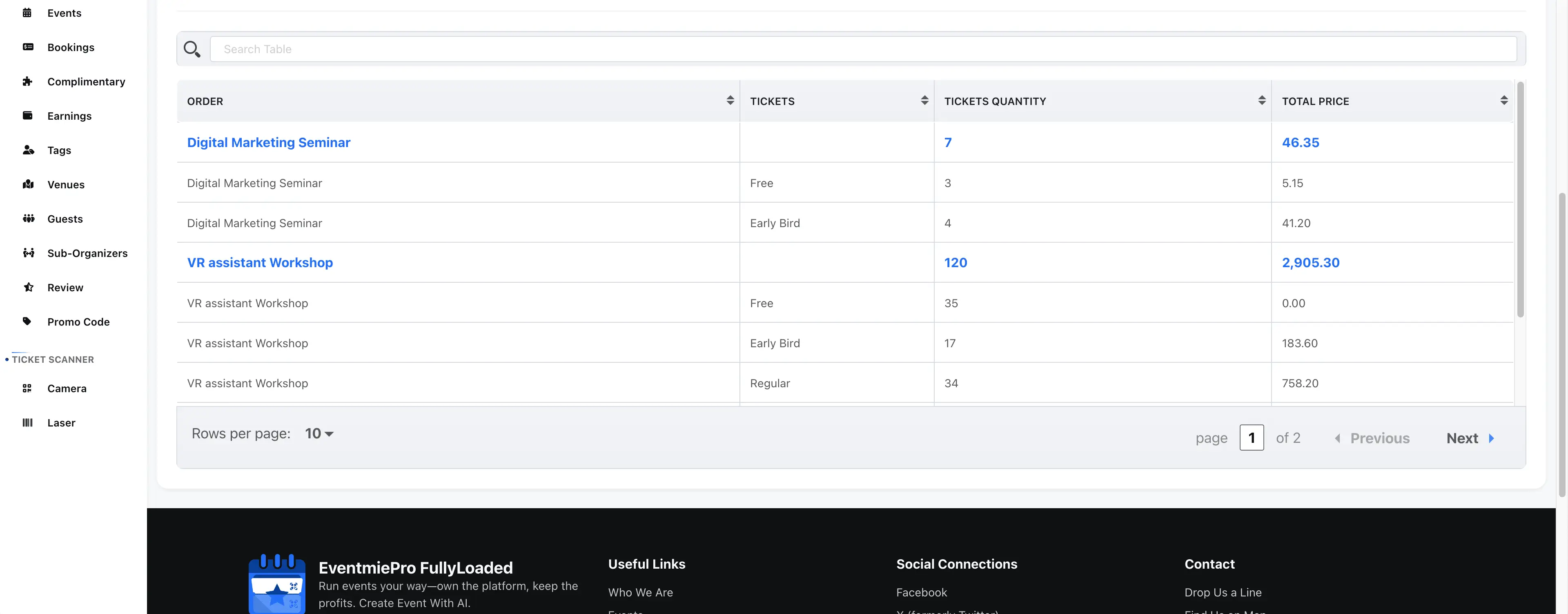
- Ticket Sales: Track total tickets sold, revenue, and sales by ticket type.
- Attendee Registrations: See new signups and total attendees at a glance.
- Sales Trends: Use charts to spot peaks, dips, and patterns over time.
- Event Performance: Compare multiple events or sessions side by side.
Filter, Export, and Share Data
- Custom Filters: Drill down by event, date range, ticket type, or sales channel.
- Export Reports: Download CSV or PDF reports for accounting, compliance, or CRM integration.
- Share Insights: Share key stats with your team or stakeholders for better collaboration.
Troubleshooting & FAQ
Q: How do I export my dashboard data? A: Use the export buttons to download CSV or PDF reports.
Q: Can I compare multiple events or time periods? A: Yes, use filters to compare events or custom date ranges.
Q: How do I integrate dashboard data with my CRM or marketing tools? A: Export data and import into your preferred tools, or to integrate with your own CRM or marketing tools, contact us for custom development (see Customizations & Support).