Organizer Manual Approval: Secure, Trusted Event Creation
{info} Enable or disable manual organizer approval in your admin settings: Manually Approve Organizer
Why Manual Organizer Approval Matters
Manual organizer approval is a critical feature for modern event platforms, ensuring only trusted, verified individuals or organizations can create and manage events. This protects your platform from fraud, spam, and low-quality events, while building attendee trust and safeguarding your brand reputation.
Key Benefits:
- Fraud Prevention: Block fake or malicious organizers before they can create events.
- Quality Control: Maintain high standards for events listed on your platform.
- Compliance: Meet legal and regulatory requirements (KYC, AML, etc.).
- Brand Protection: Ensure only reputable organizers represent your platform.
- Custom Vetting: Collect additional information or documents as needed.
Common Use Cases
- Public Event Marketplaces: Open platforms where anyone can apply, but only vetted organizers are approved to host events.
- Corporate/Internal Events: Restrict event creation to approved departments or staff for internal company events.
- Education & Training: Only certified trainers or institutions can create and manage courses or workshops.
- Fundraising & Nonprofits: Ensure only legitimate organizations can host fundraising or charity events.
- High-Value or Regulated Events: For events with financial, legal, or compliance implications, manual approval is essential.
How Organizer Approval Works
1. Organizer Application (Customer Request)
- Users click Become Organizer to submit their application.
- Applicants may be prompted to provide additional information or documents (e.g., business license, ID verification).
- Admins receive instant email notifications for each new request.
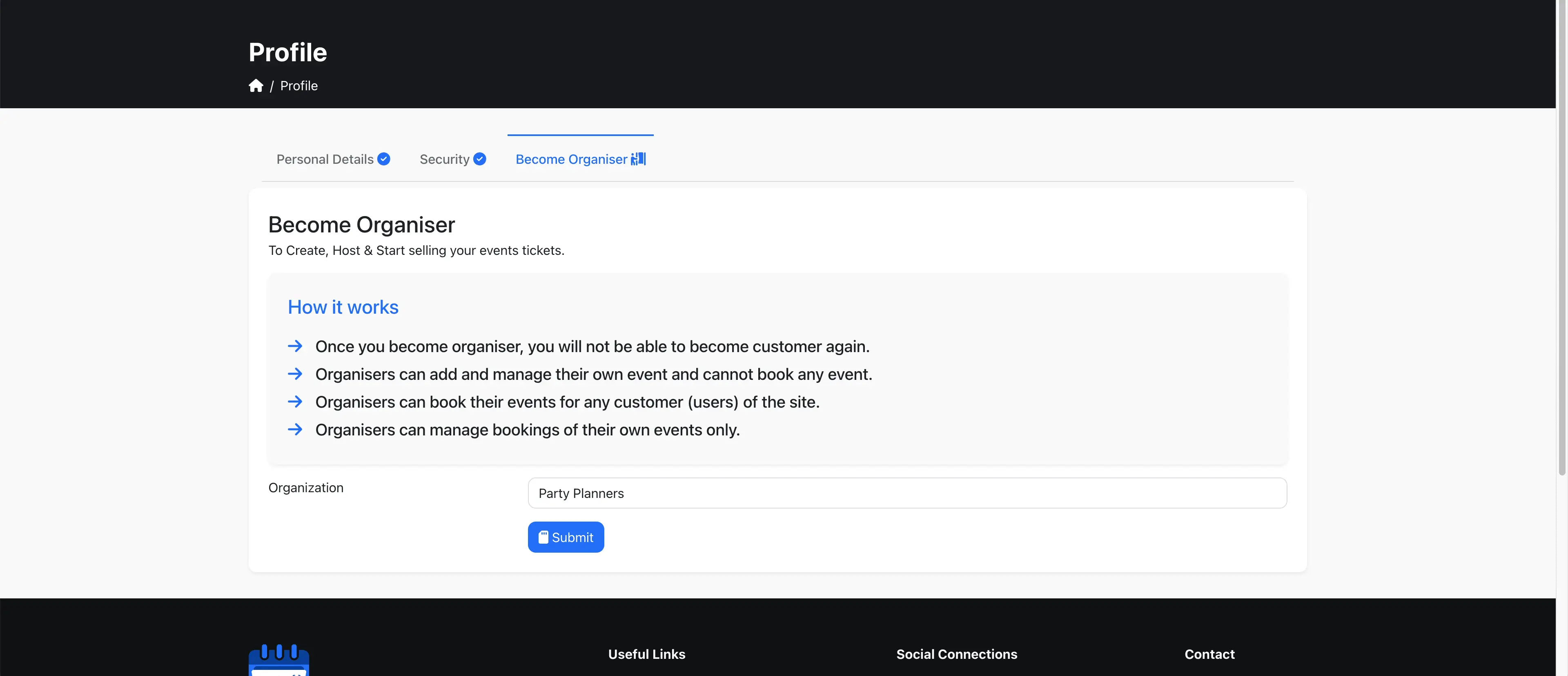
2. Admin Review & Approval
- Go to Admin Panel → Users to view all pending organizer requests.
- Review applicant details, documents, and event history (if any).
- Approve, reject, or request more information with a single click.
- All actions are logged for compliance and audit purposes.
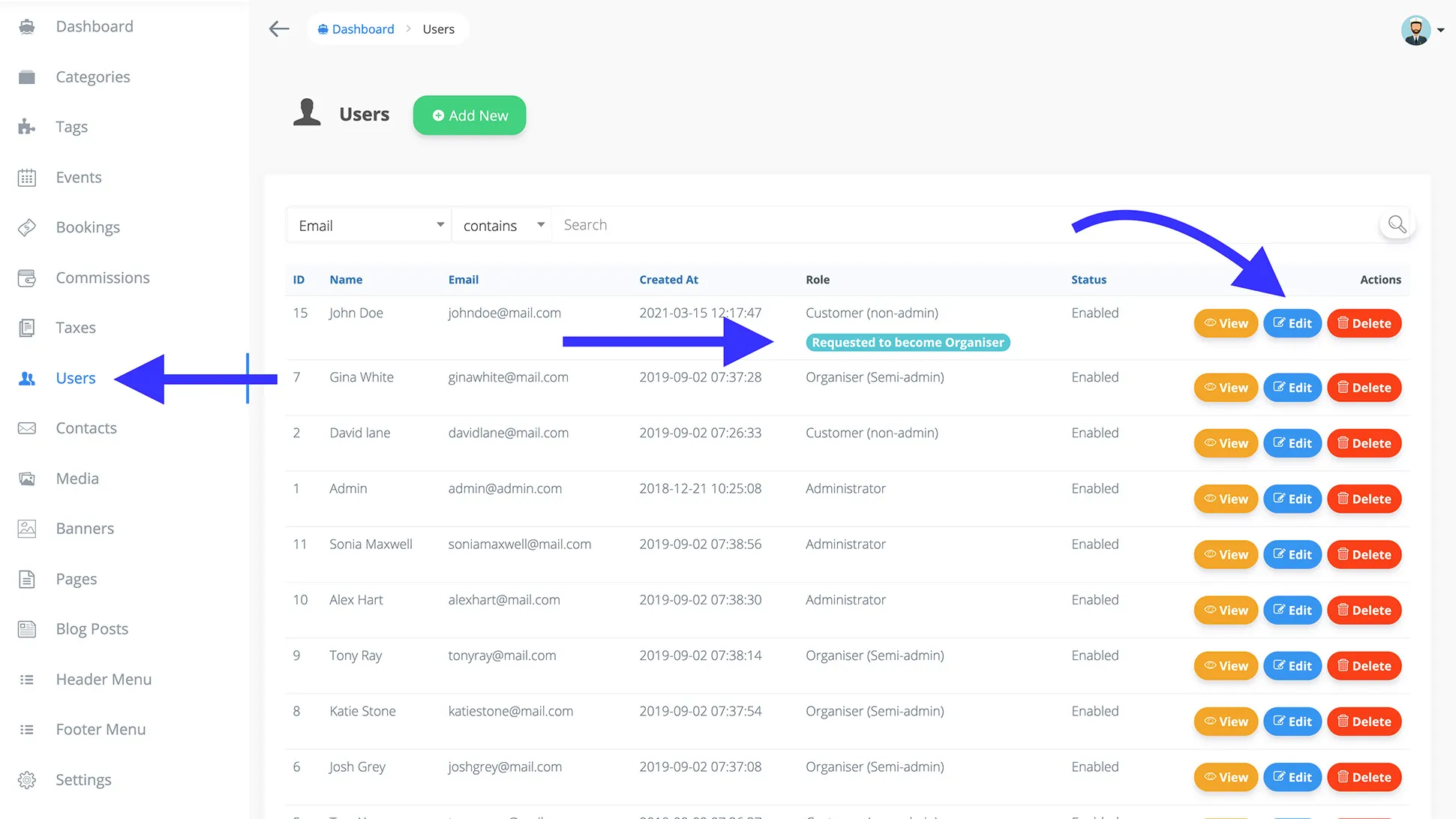
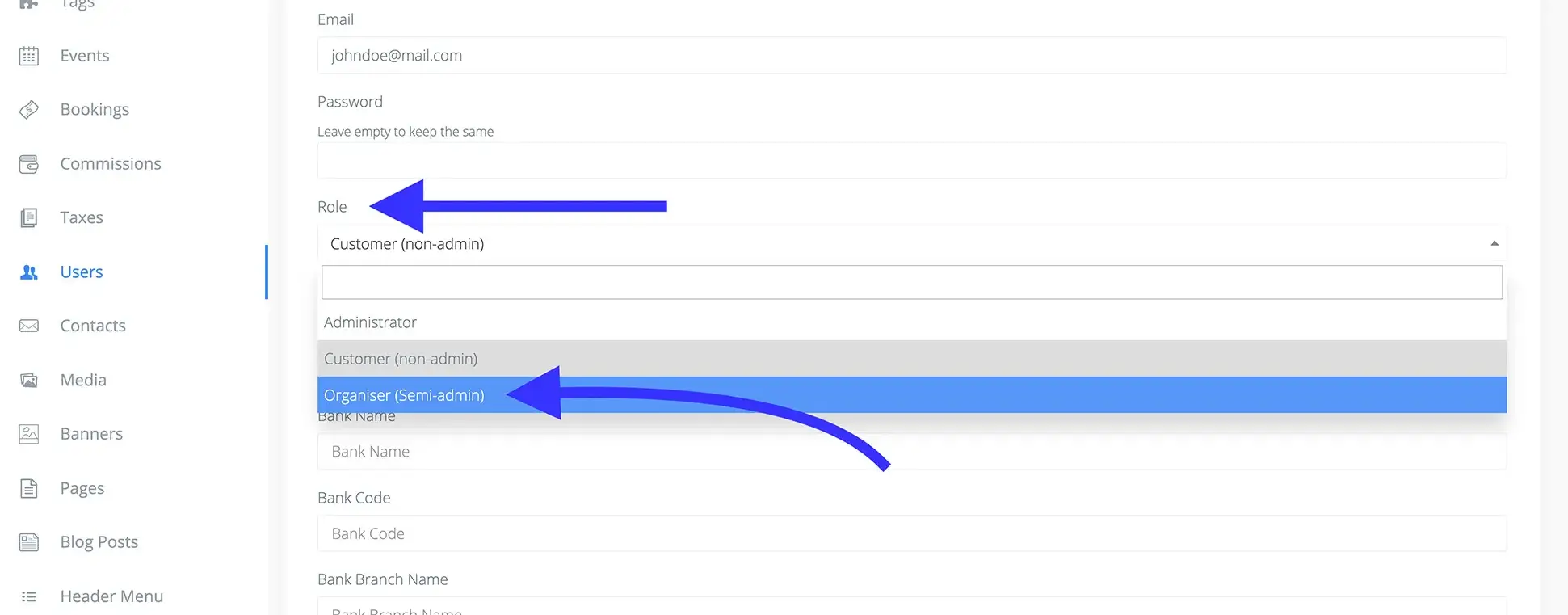
- To approve, edit the user and change their role from Customer to Organizer.
3. Automated Notifications
- Applicants receive branded email notifications for each status update (approved, rejected, or more info required).
- Approved organizers can immediately start creating and managing events.
{primary} Tip: For a professional onboarding experience please contact us at [info@WebworksCo .com](mailto:info@WebworksCo .com).
Best Practices & Tips
- Set clear approval criteria and communicate them to applicants.
- Automate reminders for pending requests to speed up onboarding.
- Enable document uploads for business verification (coming soon).
- Maintain an audit log for all approval actions (for compliance).
- Bulk approve requests during high-volume periods.
- Cross-link to onboarding, compliance, and support docs for a seamless experience.
Troubleshooting & FAQ
Q: Why should I enable manual organizer approval? To protect your platform from fraud, ensure event quality, and comply with regulations.
Q: Can I customize the approval process? Yes, you can request additional information and customize email notifications.
Q: How do I handle a high volume of requests? Use the bulk approval tools and automate reminders for faster processing.
Q: Where can I find more help? For more personalised experience, please contact us at [info@WebworksCo .com](mailto:info@WebworksCo .com).