Data Administration
Efficient, centralized data management is the backbone of a successful event platform. The Webworks Co & FullyLoaded Admin Panel empowers you to oversee every aspect of your event business—ensuring security, compliance, and a seamless experience for organizers and attendees. This guide covers all essential data administration features, modeled after best practices from leading event platforms (Eventbrite, Cvent, Ticketmaster).
{primary} This guide explains how to manage data from the Admin Panel. Front-end management for organizers and customers is covered in dedicated sections.
Tags
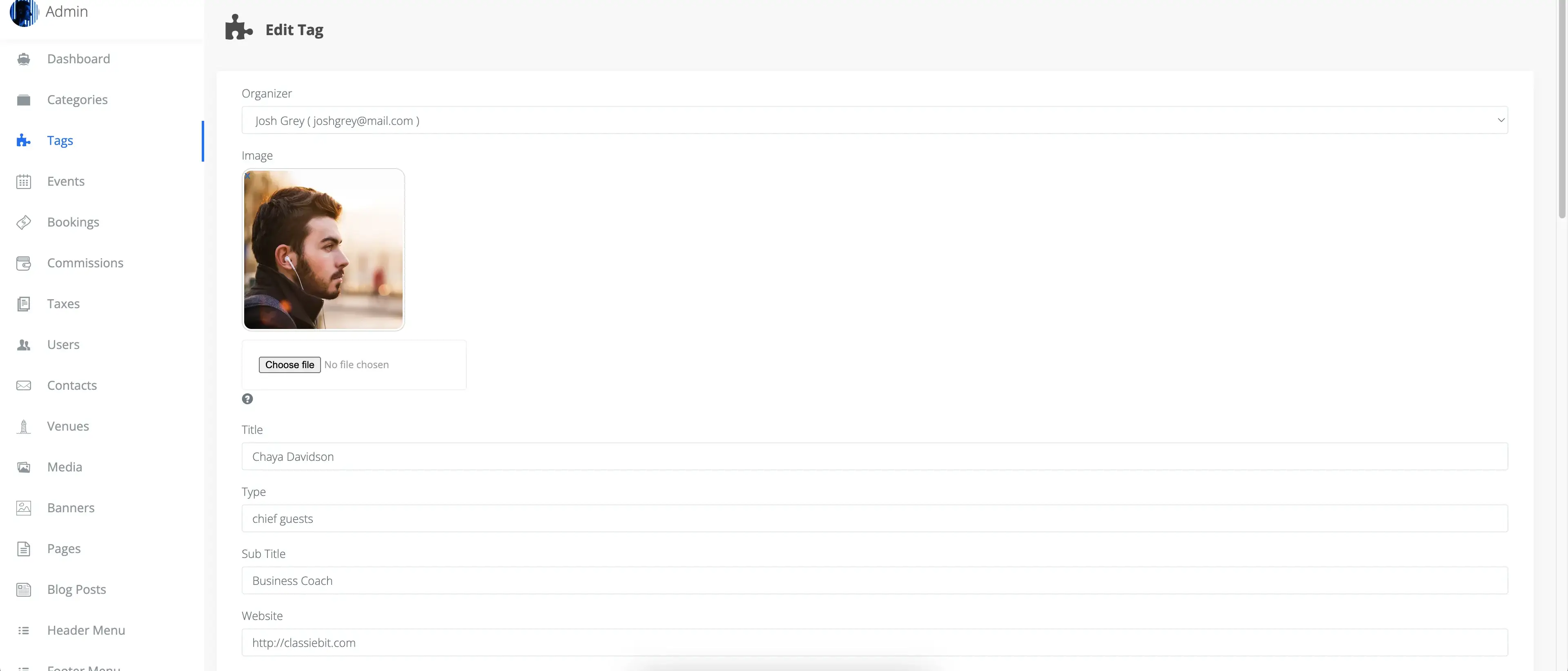
Tags are powerful tools for organizing and promoting your events. Use tags to represent sponsors, speakers, hosts, VIPs, or any custom label that enhances event discoverability and marketing.
- Flexible Display: Show tags as dedicated pages or as thumbnails on event pages for better navigation and SEO.
- Role-Based Management: Admins manage all tags from the Admin Panel; organizers can add and manage their own tags from the front-end.
- Relationship Mapping: Each tag is linked to an organizer and can be associated with multiple events for granular control.
- Content Control: Disabling a tag instantly hides it from the front-end, ensuring only relevant and approved content is visible.
{success} Best Practice: Use descriptive, keyword-rich tags to boost event discoverability and search engine rankings.
Events
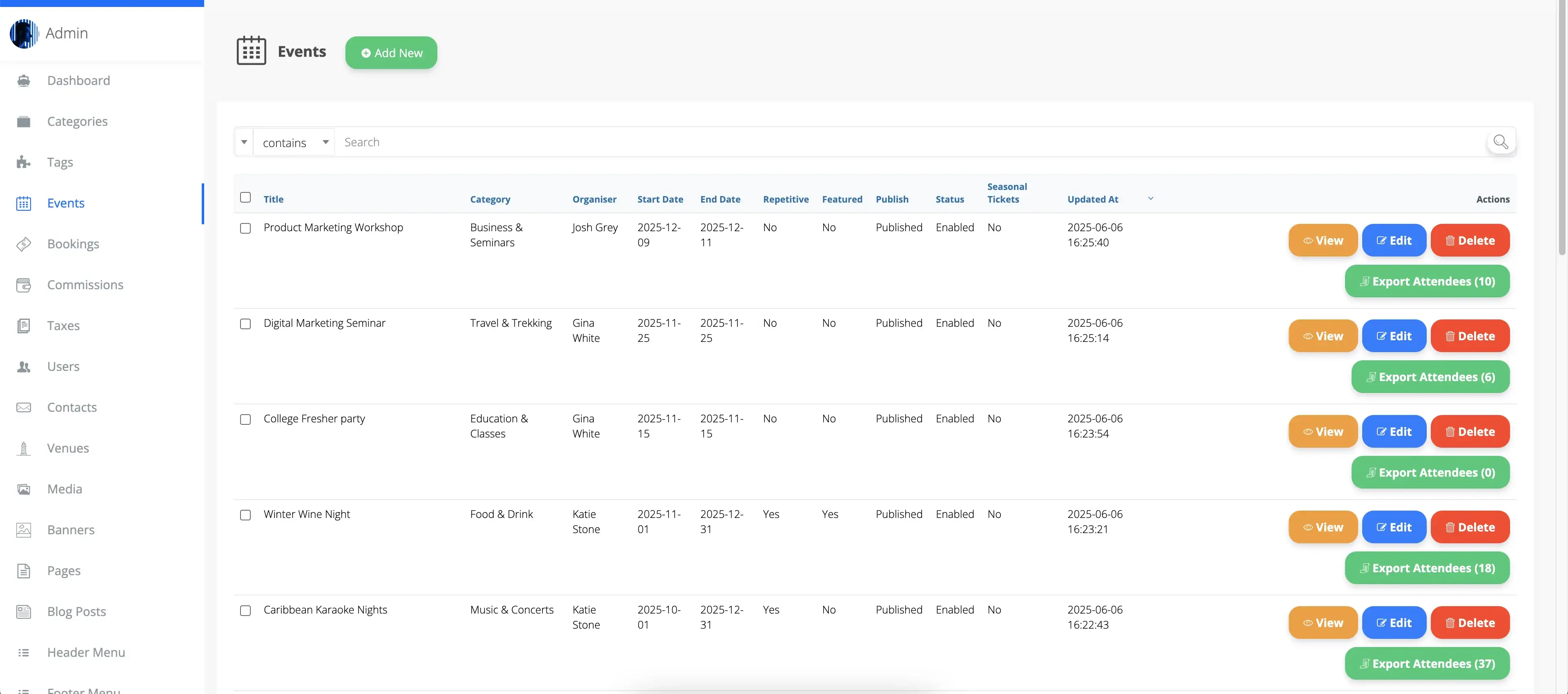
Maintain full oversight and quality control over all events on your platform.
- Admin Authority: Admins can create, edit, disable, or delete any event. When creating an event, the Admin must assign an organizer.
- Immutable Assignment: Once an event is assigned to an organizer, this cannot be changed for audit and compliance.
- Visibility Control: Disabled events are hidden from the front-end and return a 404 error if accessed directly, protecting your brand and user experience.
- Organizer Permissions: Organizers can only unpublish their own events; only Admins can delete them.
{info} Compliance: Centralized event management ensures your platform meets legal, quality, and brand standards—just like top event platforms.
Bookings

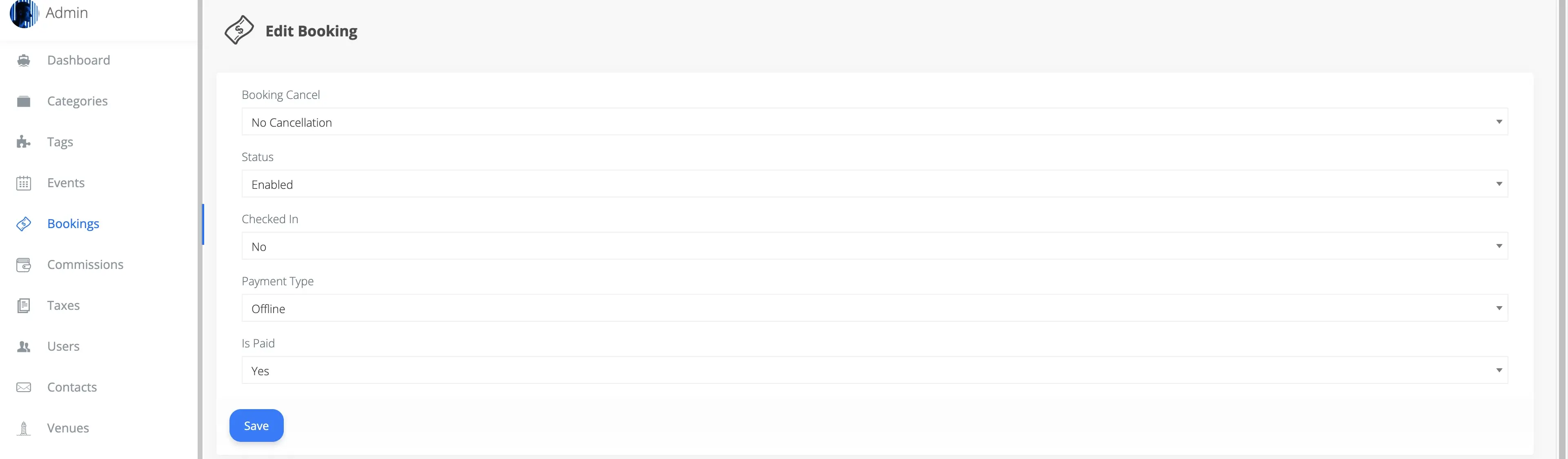
Seamlessly manage all event bookings for efficient ticketing, customer support, and fraud prevention.
- Direct Booking: Admins can create bookings for customers, bypassing online payment if needed (e.g., for VIPs or manual sales).
- Status Management: Admins can disable bookings, update payment or cancellation status, and ensure only valid bookings are honored.
- Security: The ticket scanner will not allow check-in for disabled bookings, protecting event integrity.
{primary} Admins can create new bookings and events from the front-end only.
To avoid redundant features, core booking and event creation functions are available on the front-end, supported by a robust roles and permissions system. This ensures Admins, Organizers, and Customers can only access features relevant to their roles.
Users
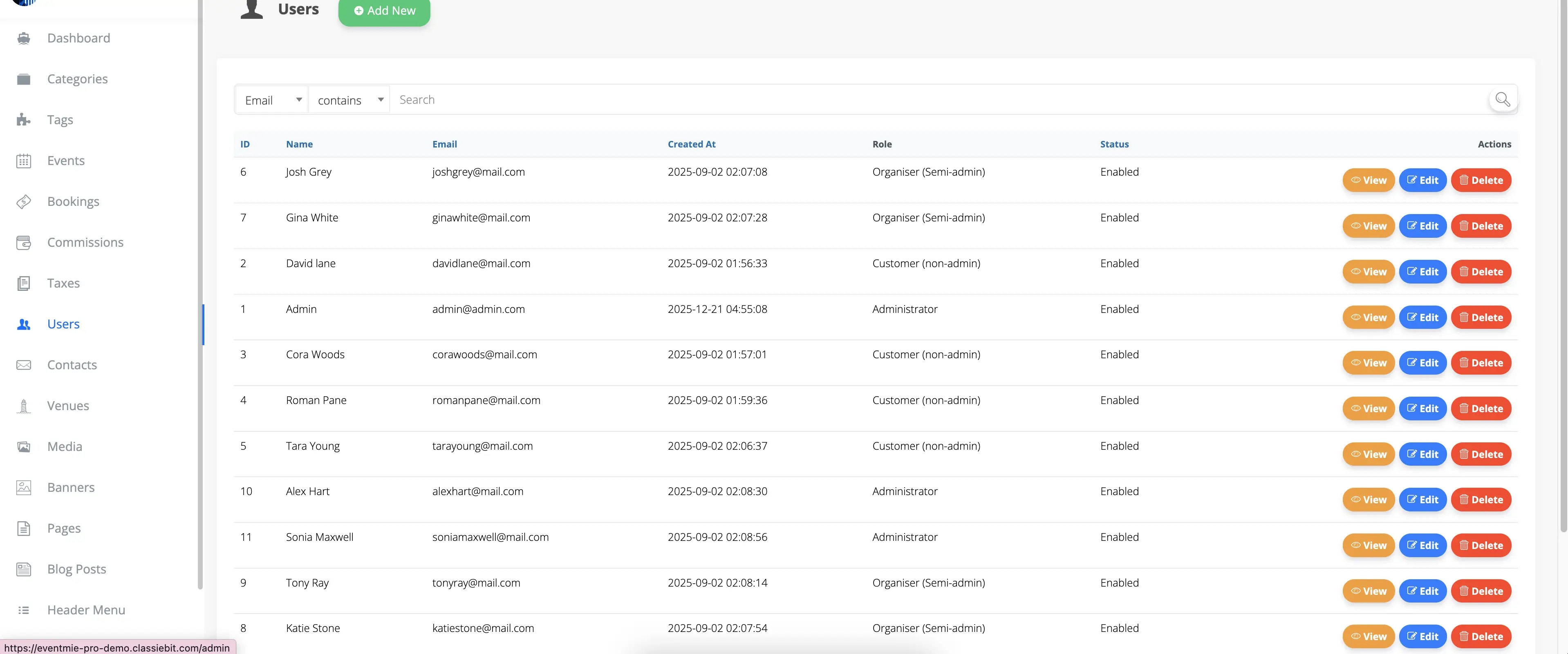
Centralized user management is critical for platform security, compliance, and growth.
- Role Management: Admins can change a user's role to Admin, Organizer, or Customer as needed.
- Account Control: Disable users to prevent access and maintain platform security.
- Predefined Roles:
- Admin: Full access to the Admin Panel and all platform features.
- Organizers: Manage their own events and bookings from the front-end.
- Customers: Book events and manage their bookings and cancellations from the front-end.
- POS: Point of Sale for offline payments.
- Scanner: Scanner for Ticket scanning and check-in.
- Event Manager: Manage events and bookings from the front-end on the behalf of the organizer.
{success} Best Practice: Regularly review user roles and permissions to ensure compliance and prevent unauthorized access.
Contacts
All contact form submissions from the front-end "Contact Us" page are instantly accessible in the Admin Panel for prompt follow-up and superior customer support.
- Centralized Inbox: Never miss a customer inquiry or support request.
- Actionable Insights: Use contact data to improve your platform, address pain points, and build customer loyalty.
{success} Pro Tip: Leverage your Admin Panel's data administration tools to deliver a secure, compliant, and high-performing event platform—just like the industry leaders.