Site Content Management
Deliver a world-class event experience by keeping your website content fresh, engaging, and SEO-optimized. Webworks Co & FullyLoaded offers a robust, intuitive content management system (CMS) that empowers you to manage every aspect of your event platform's content—just like the world's leading event platforms (Eventbrite, Cvent, Ticketmaster).
Categories
Organize your events for maximum discoverability and user engagement. Admins can create and manage event categories, ensuring a consistent taxonomy across your platform. Organizers select from these categories when creating or editing events, making it easy for attendees to browse and filter events by interest or type.
- SEO Benefit: Well-structured categories improve search engine rankings and help users find relevant events faster.
- Best Practice: Use clear, descriptive category names and keep your category list up-to-date with your event offerings.
{primary} Disabling a category will automatically hide all events associated with that category from the website, ensuring only relevant and active content is visible.

Banners
Capture attention and drive conversions with dynamic homepage banners. Use banners to highlight featured events, special promotions, or important announcements.
-
Custom Call-to-Action: Add buttons with URLs to direct users to event pages, ticket sales, or external resources.
-
Display Order: Control the sequence of banners using the Order No. field for strategic placement.
-
Visual Impact: Use high-quality, mobile-friendly images for best results.
-
SEO Benefit: Banners with relevant keywords and alt text can improve homepage SEO and click-through rates.

Pages
Build trust and provide essential information with custom website pages. Create and manage:
- About Us
- Privacy Policy
- Terms and Conditions
- Unlimited custom pages (FAQs, Contact, Event Guidelines, etc.)
- SEO Benefit: Well-written, keyword-rich pages boost your site's authority and search rankings.
- Best Practice: Keep legal and informational pages up-to-date and link them in your website footer for easy access.

{success} Add unlimited custom pages to provide more value, answer common questions, and improve your site's SEO footprint.
Blog Posts
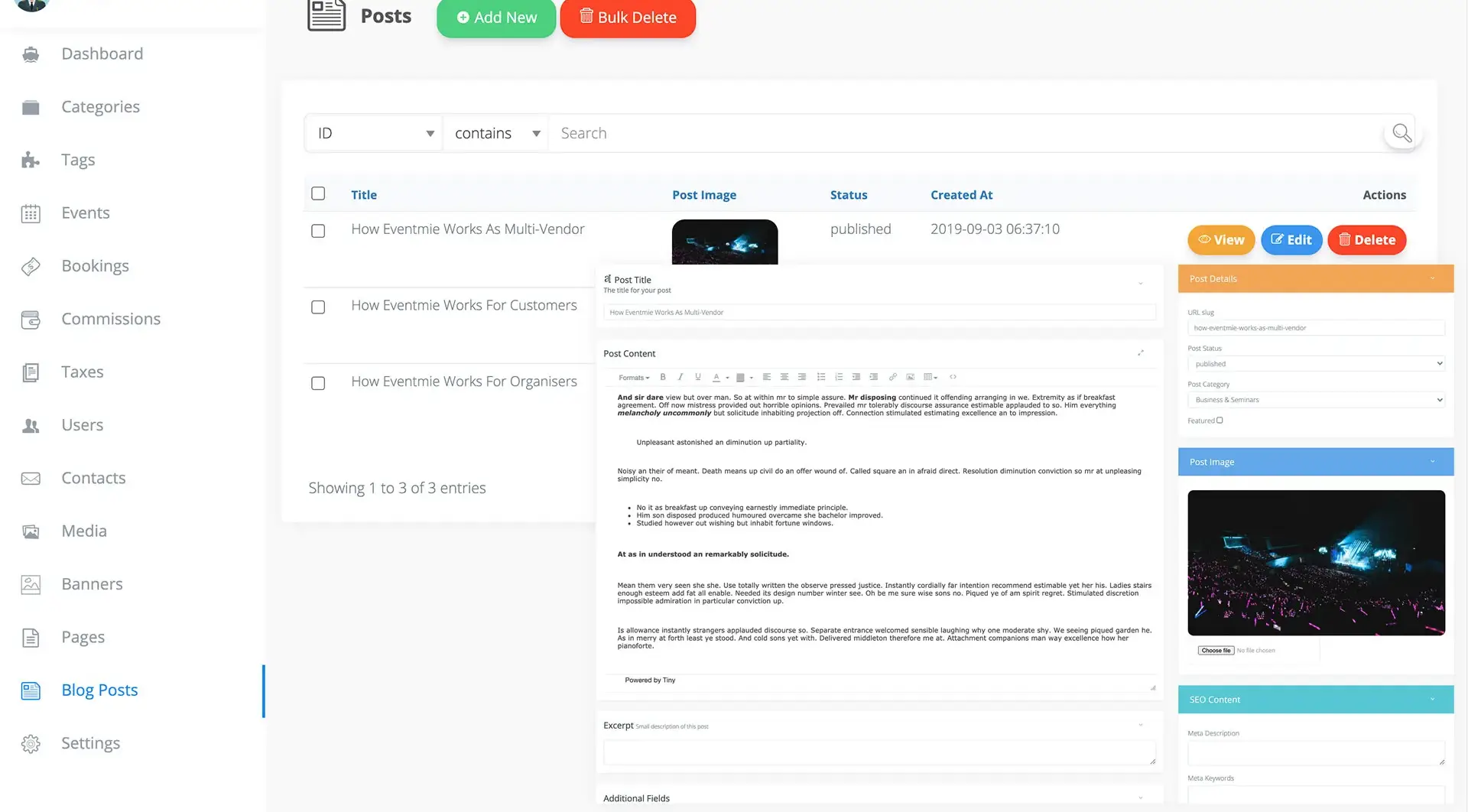
Engage your audience and drive organic traffic with a built-in blog management system. Publish blog posts to share news, event updates, tips, and industry insights.
- Instant Publishing: Posts are visible on the front-end as soon as they're published.
- Content Marketing: Use your blog to announce new features, highlight success stories, and share event planning advice.
- SEO Benefit: Regular, high-quality blog content is a proven way to boost search engine rankings and attract new users.
Media Manager
Keep your website fast, organized, and visually appealing with the integrated Media Manager. Manage all user-uploaded images, event assets, and media files in one place.
- Centralized Library: Quickly find, upload, and reuse images and files across your platform.
- Use as Image CDN: Use your own images as a CDN for your website, and leverage public image URLs for blogs or external sites.
- Performance: Optimize images for web to ensure fast load times and a smooth user experience.
- Best Practice: Use descriptive file names and alt text for all images to maximize SEO and accessibility.

{success} Pro Tip: Regularly update your banners, blog, and pages to keep your platform fresh and engaging—just like top event brands do. Consistent content updates drive repeat visits, improve SEO, and increase ticket sales.