Admin Dashboard
The Admin Dashboard is your mission control for managing and scaling your entire Webworks Co or FullyLoaded platform. Designed for clarity, speed, and actionable insights, the dashboard provides a real-time, data-driven overview of your event business—empowering you to make smarter decisions, optimize revenue, and deliver a world-class experience for organizers and attendees.
Dashboard Overview
- Real-Time Analytics: Instantly monitor sales, attendance, and revenue with live widgets and charts.
- Quick Access: Jump to event, user, and settings management with one click.
- Proactive Notifications: Stay ahead with alerts for new bookings, support requests, and system updates.
- Customizable Layout (FullyLoaded): Tailor your dashboard to focus on the metrics that matter most to your business.
Analytics & Reporting
- Visualize Key Metrics: Interactive charts and tables make it easy to spot trends and outliers.
- Exportable Reports: Download detailed sales and performance data for deeper analysis or accounting.
- Promo Code & Engagement Tracking: Monitor marketing effectiveness and attendee behavior.
- Advanced Reporting (): Drill down by event, ticket type, organizer, or date range for granular insights.
Event & User Management
- Event Oversight: Approve, edit, or delete events with a single click.
- User & Role Management: Manage organizers, attendees, and assign granular permissions.
- Bulk Actions: Save time with batch approvals, deletions, or updates.
- Security: Control access levels to protect sensitive data and workflows.
Notifications & Alerts
- Real-Time Alerts: Instantly see new bookings, payments, and support tickets.
- System Health: Get notified of updates, errors, or issues before they impact your business.
- Custom Notification Settings: Tailor alerts to your workflow for maximum efficiency.
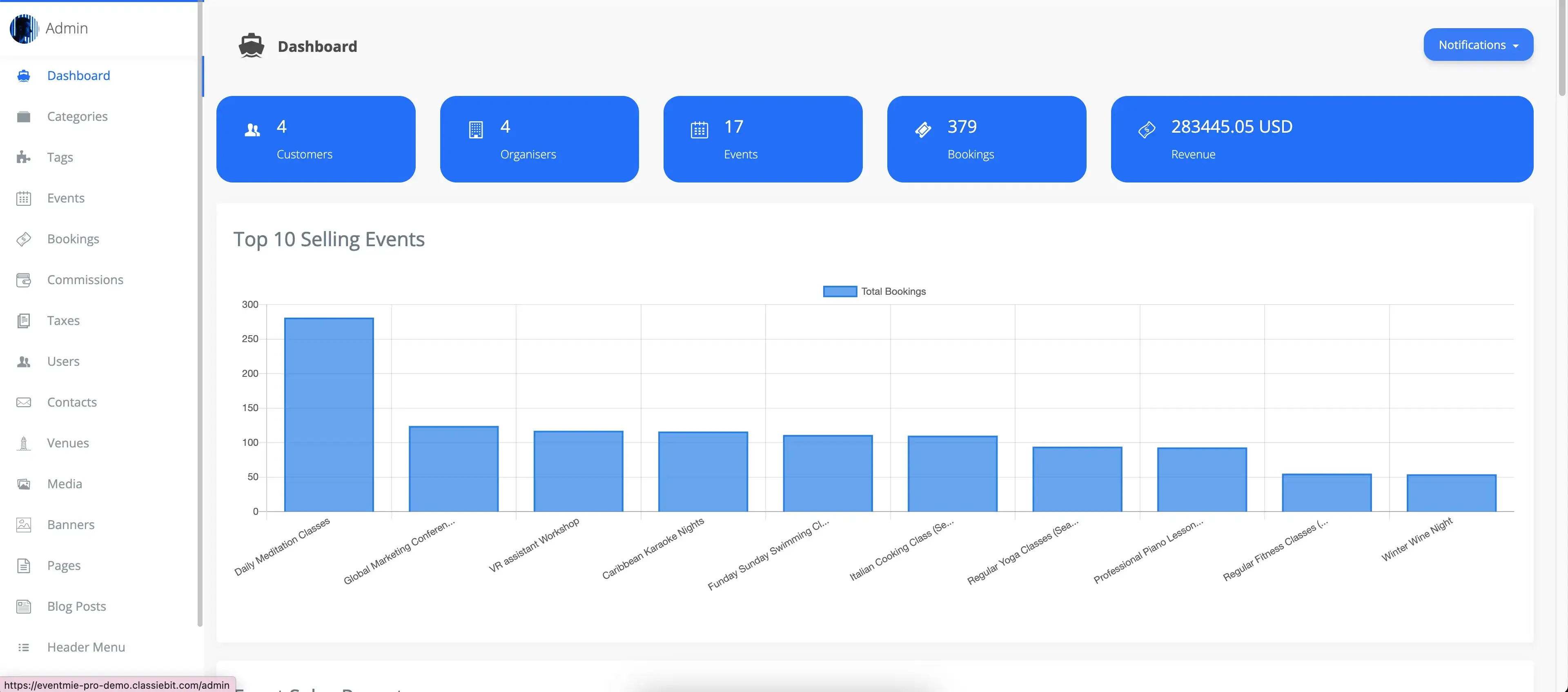
Top Selling Events
Quickly view your highest-performing events with a summary of the top-selling events and their total bookings. This helps you identify popular events and optimize your event strategy.
- Recognize trends and audience preferences
- Reward top organizers or replicate successful event formats
- Optimize marketing and resource allocation
Sales Report
Access detailed sales reports for all events, including organizer earnings, admin commissions, payout status, and more. Filter sales data by specific events and tickets to analyze performance and revenue trends including:
- Organizer earnings
- Admin commissions
- Payout status
- Ticket-level breakdowns
Filter sales data by event, ticket type, or date to analyze performance and revenue trends. Export reports as CSV files for accounting, reconciliation, or deeper financial analysis. Automatic data sums make it easy to track totals and spot discrepancies.
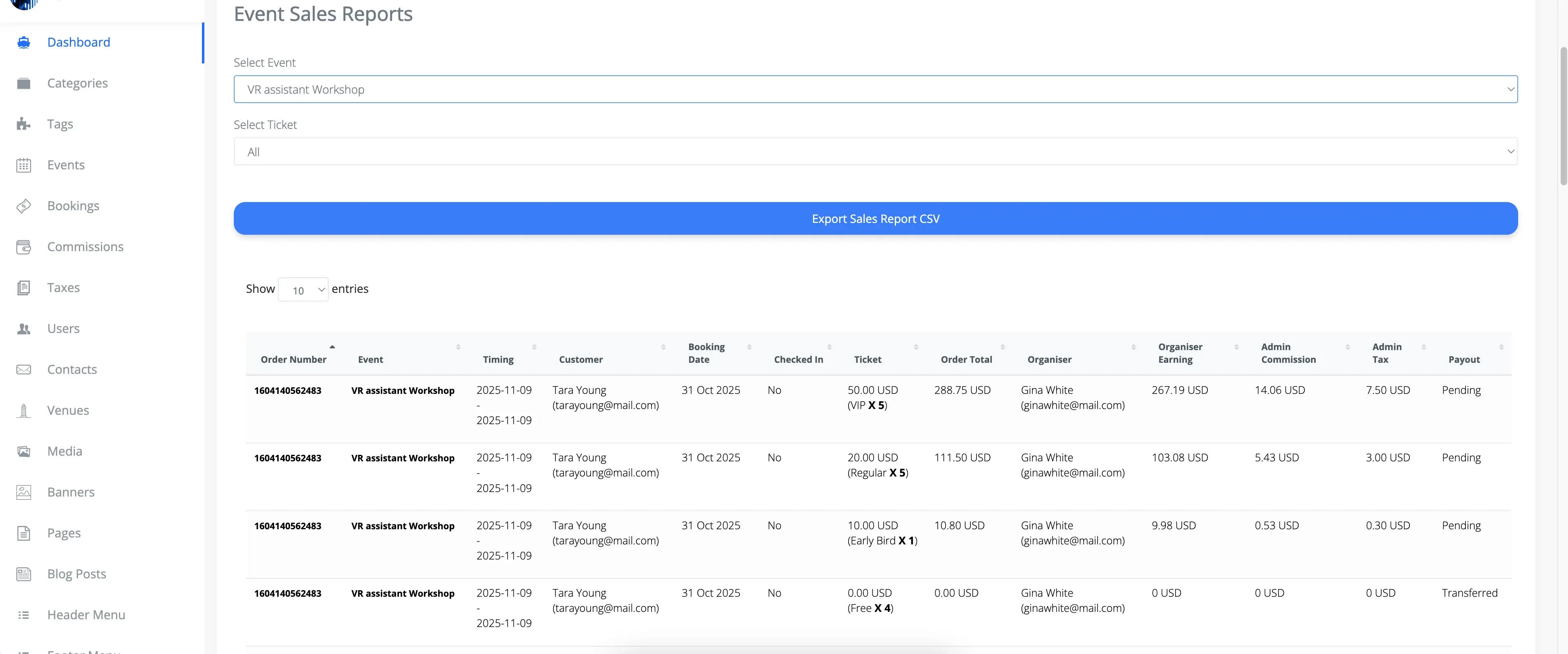
Admins can export sales reports as CSV files, including filtered data and automatic data sums for easy financial analysis and record-keeping.

Event Tickets Statistics
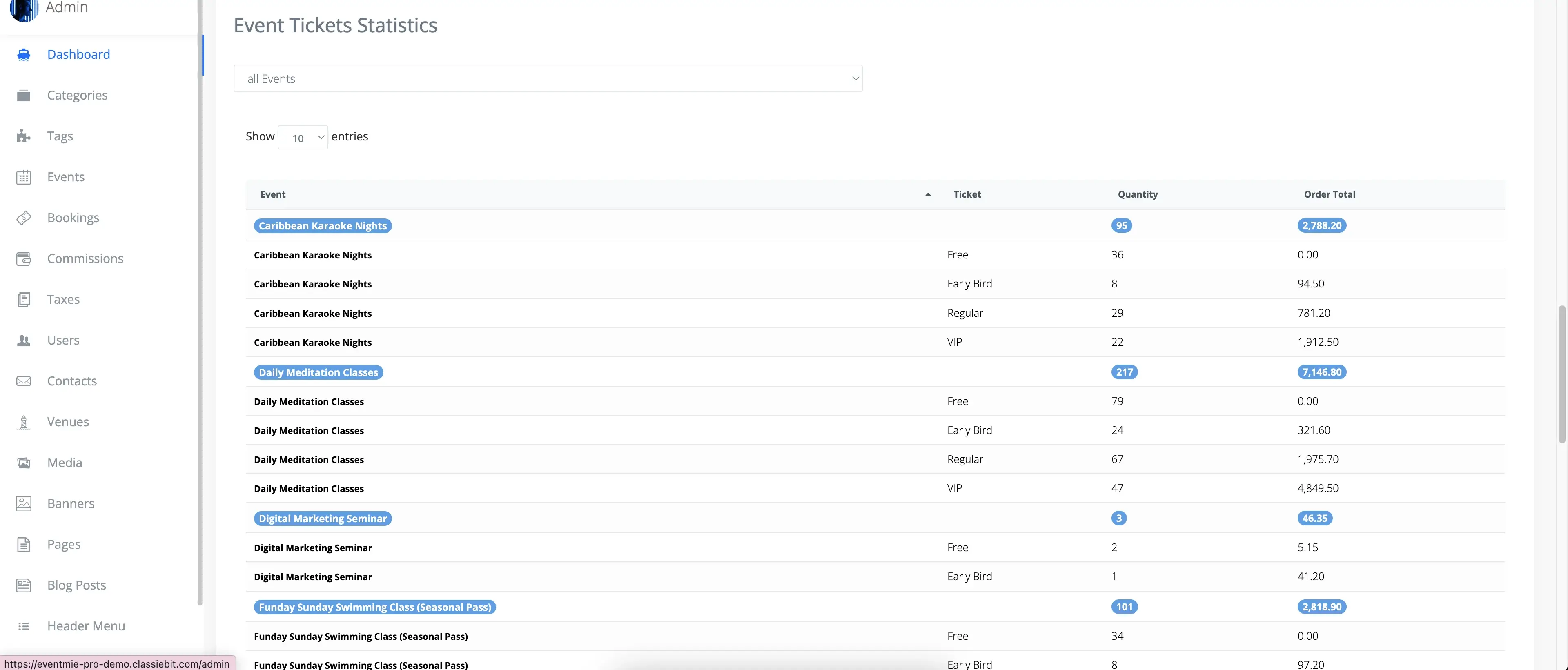
Get a complete, real-time overview of ticket sales, organizer earnings, admin commissions, and payout statuses for all events. Use advanced filters to drill down into specific ticket statistics, identify high-performing events, and optimize your event management process.
- Business Value: Data-driven ticket management helps you maximize sales, improve payout accuracy, and support organizers more effectively.
- Best Practice: Regularly review ticket statistics to spot trends, prevent fraud, and ensure timely payouts.
{success} Pro Tip: Use your dashboard insights to inform marketing, pricing, and operational decisions—just like the top event brands do. Data-driven management is the key to sustainable growth and customer satisfaction.